
Virtualization abstracts physical hardware to run multiple isolated systems on the same host. A VM (virtual machine) is a complete machine with its own vCPU, RAM, disk, network, and operating system; a VPS (virtual private server) is generally that same technology marketed as a service, usually with a defined plan and SLA.
About this material: content consolidated from technical references and EnQ Digital's project experience, with a cutoff date in 2026. Prices, specifications, and availability should be confirmed before contracting.
VM, VPS, and virtualization
Five concepts organize the vocabulary: VM is the complete machine (vCPU, RAM, disk, network, and operating system); VPS is the VM marketed as a service, usually with a plan and SLA; host is the physical server that runs the hypervisor; guest is the operating system inside the VM; and tenant is the isolated client or logical domain.
VM describes the technology. VPS generally describes the service delivered to the customer. A VPS is usually a VM, but an internal VM in a corporate cluster is not necessarily sold as a VPS. The quality of a VPS depends on the whole set: host, overcommit policy, storage, network, security, backup, support, and operational transparency.
How virtualization works
The hypervisor presents virtual hardware and arbitrates the use of physical resources. In the execution path, the vCPU is scheduled onto physical threads or cores, virtual memory is mapped to host RAM pages, virtual disks use files, volumes, or blocks on local/shared storage, vNICs connect to bridges, vSwitches, port groups, or overlay networks, and paravirtualized drivers reduce I/O overhead.
Hardware extensions such as Intel VT-x/VT-d and AMD-V/IOMMU enable assisted virtualization, isolation, and device passthrough; Secure Boot and virtual TPM support chains of trust. The hypervisor isolates and schedules; the guest system still needs patching, hardening, monitoring, backup, and identity management — that responsibility does not disappear with virtualization.
Type 1 and Type 2 hypervisors
The choice of hypervisor influences availability, integration, licensing, and operation. Type 1 hypervisors run directly on hardware and are the reference for data center and production; Type 2 hypervisors run on top of an operating system and are more suited to lab and desktop use.
Common platforms include VMware ESXi/vSphere and VCF, Microsoft Hyper-V, KVM/QEMU on Linux distributions and platforms such as Proxmox VE, and Nutanix AHV and other integrated solutions. Selection criteria should jointly evaluate hardware compatibility, HA features, live migration, storage, network, backup, APIs, ecosystem, team skills, and total cost.
Host hardware
The virtual layer does not eliminate physical limits; it concentrates them.
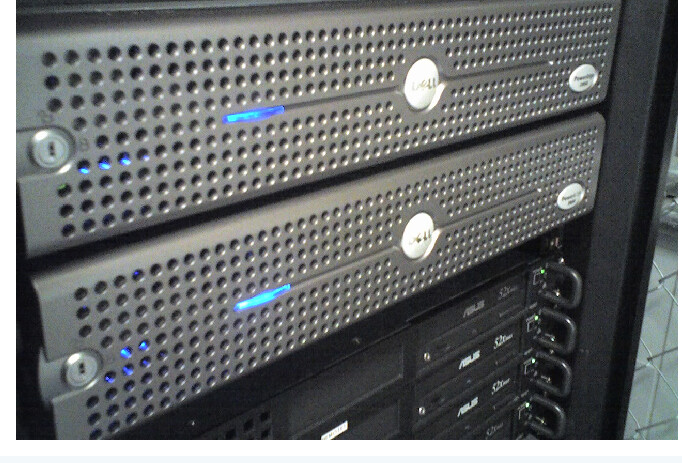
Elements to decide include the CPU (sockets, cores, frequency, cache, TDP, and generation), ECC RAM (capacity, channels, speed, and expansion), PCIe (lanes for NIC, HBA, NVMe, and GPU), storage (NVMe/SAS, RAID, SAN, NAS, Ceph, or HCI), network (10/25/40/100 GbE and redundancy), and the BMC (out-of-band management and automation).
A/B power supplies, hot-swap fans, redundant interfaces, and separate paths reduce local failures. For real HA, multiple hosts are required, along with data accessible after a node failure — resilience of a single server is not the same as true high availability.
CPU, vCPU, and overcommit
A vCPU is not automatically equivalent to a dedicated physical core. The hypervisor schedules vCPUs onto logical CPUs; workloads waiting for CPU time accumulate CPU Ready, and limits, reservations, and shares influence the contention for resources.
Relevant metrics include host and VM utilization, CPU Ready/co-stop (or equivalent metric), effective frequency, steal time and throttling, and the vCPU:pCPU ratio per cluster and per workload profile. Best practice is to consolidate based on percentiles and concurrency — databases, per-core licensed applications, and low-latency workloads may require lower overcommit, affinity, or dedicated cores. More vCPUs can, counterintuitively, worsen performance if the VM has to wait for a larger scheduling window: size based on measured load, not intuition.
Memory, NUMA, and ballooning
RAM is usually the first density limit in a cluster. Memory management mechanisms include reservation (guarantees physical capacity), limit (restricts maximum consumption), ballooning (reclaims memory with guest cooperation), compression and swap (last lines of defense, which increase latency), and transparent page sharing (depends on platform and policy).
Large VMs should respect NUMA node boundaries — remote memory access can increase latency, and vNUMA and placement need to be aligned with the operating system and application. When sizing capacity, include hypervisor RAM, cache, agents, and N+1 margin: don't treat provisioned memory as average consumption without checking actual peaks and working set.
Virtual storage
Latency, IOPS, and throughput are resources shared among VMs and infrastructure activities. Storage options include local (low latency and simplicity, with attention to mobility and HA), SAN FC/iSCSI (sharing and mature features, with attention to fabrics, multipath, and cost), NFS (simple operation, with attention to network and file server), HCI/Ceph (distributed scale, with attention to network, quorum, and rebuild), and NVMe-oF (high performance, with attention to design and compatibility).
Essential controls include thin provisioning with capacity alerts, multipath with distinct physical paths, QoS to avoid noisy neighbors, TRIM/UNMAP, cache and alignment per the platform, and latency monitoring at the guest, host, datastore, and array levels.
Virtual networking
Virtual connectivity combines physical NICs, virtual switches, and segmentation policies.
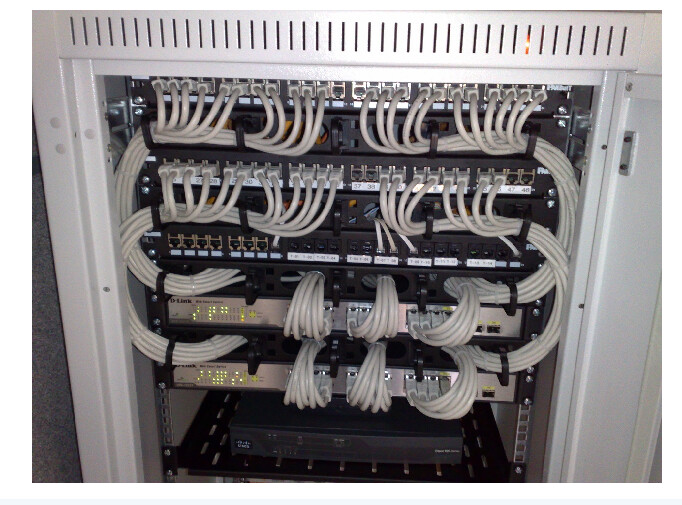
Network planes to consider are hypervisor management, VM/tenant traffic, live migration, storage, backup and replication, and cluster and out-of-band management. For availability, distribute uplinks across physical switches, validate LACP/MLAG or routing, and keep MTU consistent — the design should survive the loss of an NIC, switch, or path.
VLANs, VRFs, VXLAN/EVPN, overlays, and microsegmentation expand scale and isolation in network virtualization, but they require end-to-end observability so they don't become operational blind spots.
3-tier topology
A basic architecture separates edge, virtualization, and data.
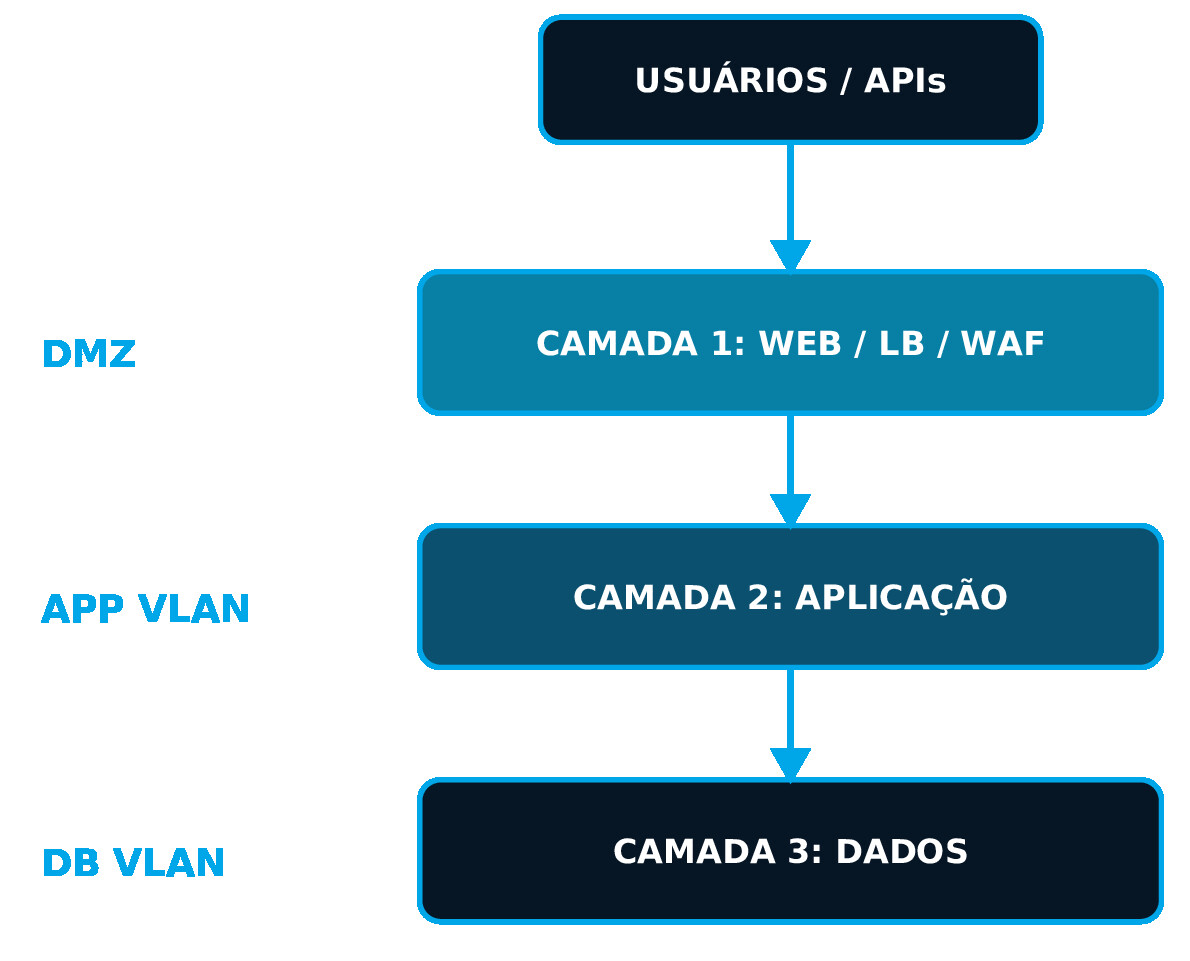
Layer 1 (Edge/DMZ) gathers DDoS protection, routers, HA firewall, WAF, and load balancer. Layer 2 (Compute) gathers the hypervisor cluster and tenant networks. Layer 3 (Data) gathers storage, databases, backup, and replication. Management, monitoring, and backup should use segregated planes and reach only the components necessary for each function.
Security and isolation
Security depends on controls at the provider, hypervisor, network, guest, and process levels. Core controls include MFA, RBAC, and separate administrative accounts; isolated management network with VPN/bastion access; hardening and patching of the host and guests; microsegmentation with deny-by-default rules; EDR, vulnerability management, centralized logs, and SIEM; and encryption in transit and at rest according to risk.
QoS, limits, reservations, and monitoring reduce the impact of noisy neighbors among tenants — but logical isolation does not replace a criticality assessment: workloads with maximum requirements may need a dedicated host. Access to the hypervisor console is inherently privileged: log actions, apply segregation of duties, and protect backups and snapshots against deletion.
Templates, clones, and snapshots
These features speed up operations, but they serve different purposes and should not be confused with one another. A template is the standard image for new VMs, but it does not replace patch management. A clone is an independent or linked copy, but it does not replace external backup. A snapshot serves for a short rollback before a change, but it does not replace long-term backup. A golden image is a tested and versioned baseline, but it does not replace continuous hardening.
Long-lived snapshots grow, increase the dependency chain, and can degrade I/O — define an owner, validity period, alert, and controlled removal for each. Tools like cloud-init and Sysprep should automate hostname, network, keys, and identity at first boot, avoiding cloning secrets, IDs, and stateful agents between VMs.
High availability
HA restarts or maintains services after failures, according to the available capacity and technology. Prerequisites include a cluster with reliable quorum, N+1 capacity or higher, accessible or replicated storage, redundant networks, CPU compatibility for migration, and health checks with defined restart policies.
Live migration moves a VM between hosts with little or no interruption, facilitating maintenance — but it does not replace HA, backup, or protection against the application's own failure. Anti-affinity keeps replicas, domain controllers, and nodes of the same service on different hosts or failure domains. Test the loss of host, switch, datastore, and power: HA that hasn't been tested remains an assumption, not a guarantee.
Backup and recovery
Backup must be independent of the primary environment and tested regularly. The strategy involves the 3-2-1 policy with an external copy, immutability or air gap against ransomware, application-consistent backup for databases and directories, encryption, retention and separate access control, and regular restore tests of files, VMs, and services.
Backup frequency defines the potential loss (RPO); the method and restore capacity influence recovery time (RTO) — measure the full restoration, including network, DNS, certificates, and dependencies. Image-level backup simplifies recovery of the entire VM; agents can offer specific granularity and consistency within the guest. Critical environments often combine both approaches.
Disaster Recovery
DR recovers services in another failure domain, with models that vary by cost and recovery time: external backup (lower cost, slower recovery), cold standby (low/medium cost, recovery in hours), warm standby (medium cost, recovery in minutes/hours), hot/active-passive (high cost, recovery in minutes), and active-active (very high cost, low interruption).
The DR runbook should cover the startup order and dependencies between services, replication, consistency and data cutoff point, networks, DNS, IPs, certificates, and firewall at the alternate site, disaster declaration and return-to-primary-site criteria, and communication, responsible parties, and test evidence.
Operations and observability
The virtual service needs to be observed from hardware to application, end to end.
Indicators to track include host health, BMC, power supplies, disks, and temperature; CPU Ready, active memory, ballooning, and swap; datastore latency/IOPS and queues; network drops, errors, throughput, and latency; and service availability and real user experience. In governance, inventory, CMDB, capacity planning, patches, changes, incidents, problems, and lifecycle should have owners and documented evidence.
Automation with Ansible
Ansible standardizes configuration inside VMs and, when supported, integrates with virtualization platforms. Its typical automations cover Linux/Windows baselines and hardening, users, keys, packages, services, and certificates, monitoring, backup, and EDR agents, batch patching with health checks, middleware and application configuration, and dynamic inventory sourced from the virtualization platform itself.
For security, use vault or a secrets manager, service accounts with least privilege, logs, review, and pipelines — playbooks should be idempotent and tested before reaching production. The secure patching flow follows: select batch → remove from load balancer → update → test → reintegrate → advance.
Terraform and OpenTofu
Infrastructure as code makes provisioning of VMs and networks declarative, versioned, and reviewable. Typical managed resources include VM, template, CPU, RAM and disk, networks, VLANs, IPs and rules, datastores, tags, folders and policies, DNS, load balancer and integrations, and outputs for Ansible inventory and CMDB.
Protect the state with remote backend, encryption, locking, versioning, and access control — secrets can appear in the state, so always treat it as sensitive data. The typical pipeline follows: commit → lint/validate → plan → review → apply → cloud-init → Ansible → tests → observability, with Terraform and OpenTofu using pinned versions and drift detection. Automation reduces variability; governance reduces the blast radius of automation.
Containers vs. VMs
Containers share the kernel; VMs virtualize a complete machine. In terms of kernel, the VM has its own kernel while the container shares the host's. In isolation, the VM is stronger by default, while the container depends on the runtime and applied policy. In startup, the VM takes seconds to minutes, while the container takes milliseconds to seconds. In density, the VM is medium and the container is high. In support for an operating system different from the host, the VM allows it while the container is limited to the shared kernel.
Kubernetes frequently runs on top of VMs to separate tenants, ease lifecycle management, and consume resources from consolidated clusters. Bare Metal may be preferred when the goal is maximum performance or direct use of accelerators.
Performance and benchmarking
A reliable benchmark should reproduce the real usage profile and account for contention between tenants on the same host. Relevant metrics cover CPU (time, ready, steal, and frequency), RAM (working set, faults, ballooning, and swap), storage (IOPS, throughput, average latency, and percentiles), network (throughput, PPS, latency, jitter, and loss), and application (transactions, queues, response time, and error rate).
Use a dataset, concurrency, duration, and window representative of real usage, testing during load hours with backup and infrastructure tasks running simultaneously. The performance of a VPS should not be inferred solely from advertised vCPU and RAM: CPU generation, sharing policy, storage, and network can radically change the final result.
Sizing
Size based on measured consumption, expected growth, possible failures, and the licensing involved. As an illustrative example, a light web profile tends toward 2 vCPU / 4 GB / 80 GB, with attention to horizontal scaling; an application profile tends toward 4 vCPU / 8-16 GB / 150 GB, with attention to latency and integrations; a medium database profile tends toward 8 vCPU / 32 GB / NVMe, with attention to IOPS, backup, and licensing; and a VDI profile is sized per user/concurrency, with attention to GPU, login storm, and usage profile.
At the cluster level, sum simultaneous peaks — not just averages —, reserve capacity for the loss of a host, consider maintenance, rebuild, and future growth, and separate high-I/O or low-latency profiles from the others. The figures cited are illustrative examples; the final proposal should come from real telemetry or a proof of concept.
Licensing
Virtualization can significantly change software cost, and several questions need to be answered before contracting: is the license per physical core, vCPU, socket, VM, host, or user? Is there a minimum number of cores per processor or server? Does mobility between hosts require licensing the entire cluster? Does the DR environment have passive rights or does it require an additional license? Are management, backup, and security features licensed separately?
Windows editions and virtualization rights, as well as those of other commercial applications, vary considerably — databases, middleware, and commercial software may have their own rules, so always confirm the contract, metric, and version directly with the manufacturer or partner. In open source software, the absence of a proprietary license does not eliminate the cost of support, updates, training, and ongoing operation.
VM vs. VPS vs. Bare Metal vs. Cloud
The best model depends on the workload and the desired level of operational responsibility. In control, private VM is high, managed VPS is medium/high, Bare Metal is maximum, public cloud is variable, and container/PaaS has less infrastructure under direct management. In elasticity, private VM and VPS are medium, Bare Metal is low/medium, and public cloud and container/PaaS are high. In predictability, private VM, VPS, and Bare Metal tend to be high, while public cloud is variable and container/PaaS depends on the specific service.
VPS favors speed and predictability; private VM favors governance and integration; Bare Metal favors isolation and performance; cloud favors elasticity and managed services. The right choice comes from the workload, not from an isolated technology preference.
Migration to VM/VPS
Migration should map dependencies, compatibility, and the execution window before any cutover. The typical steps are: inventory of servers, applications, data, and licenses; assessment of CPU, RAM, I/O, network, and dependencies; design of the target, security, backup, and monitoring; pilot, load testing, and restore testing; replication or P2V/V2V conversion; cutover with go/no-go and rollback criteria; and hypercare, acceptance, and post-migration optimization.
Possible methods include backup/restore, replication, VM migration, export/import, and automated rebuild — the lowest downtime is not always the lowest-risk method. Before the cutover, validate DNS, certificates, firewall, data synchronization, performance, backup, observability, and the rollback plan in case of a problem.
EnQ Digital VPS
EnQ Digital structures VPS and virtual environments according to capacity, criticality, operating system, network, backup, security, and the contracted management level. Reference commercial profiles include the Bronze plan (2 vCPU, 4 GB, suited for sites, light services, and staging), the Silver plan (4 vCPU, 8 GB, suited for medium corporate applications), and the Gold plan (8 vCPU, 16 GB, suited for more intensive workloads and small databases).
Available solution options include Linux or Windows depending on availability and license; IPs, VLANs, VPN, and firewall rules according to the project; backup, monitoring, and support according to the contracted SLA; scaling of CPU, RAM, and storage subject to capacity; integration with Bare Metal, colocation, S3 storage, and connectivity; and automation with Ansible and Terraform/OpenTofu according to scope. The profiles mentioned are portfolio references — prices, storage, traffic, operating system, SLA, and additional resources should be stated in the current commercial proposal.
Checklist and conclusion
A good contract turns specifications into verifiable commitments. The final checklist should cover: CPU model and generation, vCPU and overcommit policy; RAM, reservations, limits, and expansion possibility; storage — type, capacity, IOPS, latency, and protection; network — bandwidth, traffic, IPs, DDoS, VLAN/VPN, and firewall; SLA, support, maintenance, and responsibility for the guest; backup — frequency, retention, immutability, and restore; locality, compliance, portability, and exit process; and licenses, installation, migration, and additional costs.
A well-designed VM/VPS environment delivers predictability and agility without giving up governance. The real value emerges when hardware, hypervisor, network, security, backup, and operations are treated as a single system — not as isolated choices made at different moments of the project.
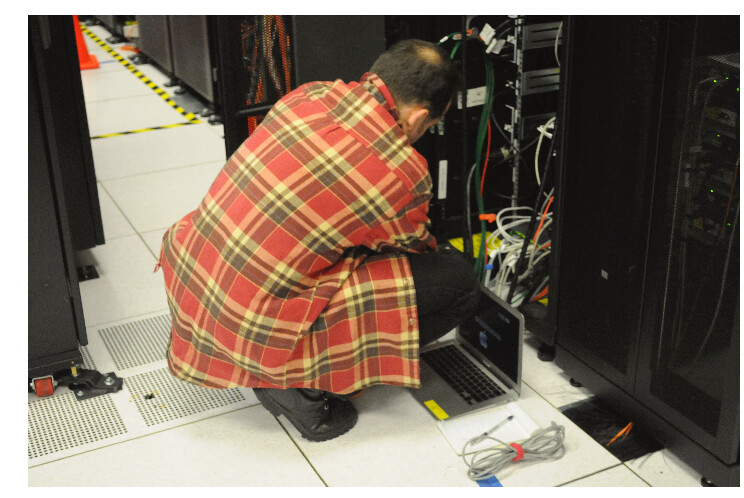
Photo credits: rack servers — Dsv, public domain; switches and patch panels in a 19-inch rack — Dsimic, CC BY-SA 4.0; technician in a data center rack — Derrick Coetzee, CC0 1.0. Sources: Wikimedia Commons. Images cropped/resized only for layout purposes.